
This feature is offered for an additional charge.
Click HERE to inquire.
PerfectApps supports a connection type that enables integration with a Google Spreadsheet via the OAuth2 protocol.
This is a direct connection that does not require the PerfectApps Connection Agent to be installed.
This feature supports both private and public spreadsheets.
|
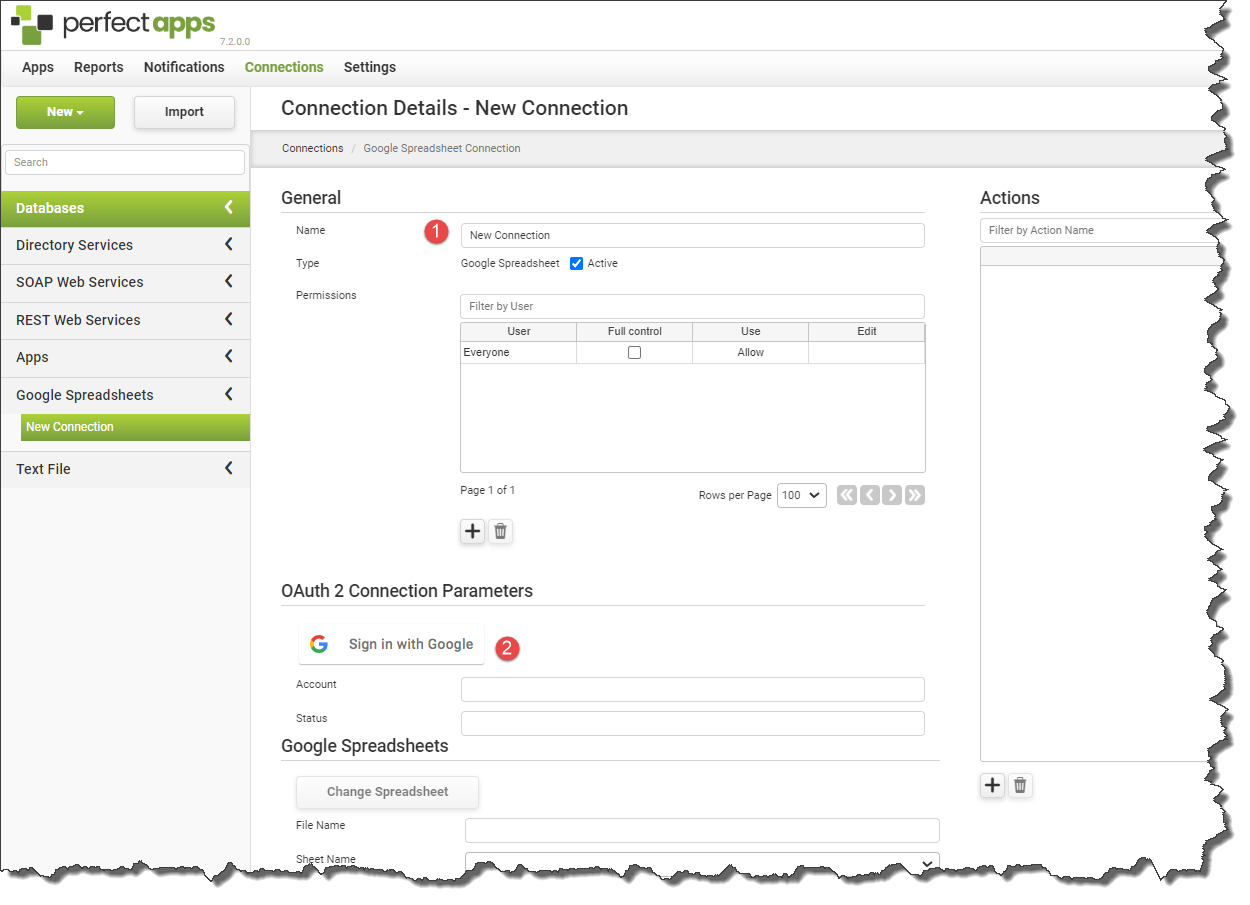
Steps to configure a Google Spreadsheet connection: |

1.Enter a name for your connection to make it easier to locate
2.Press the Sign in with Google button
3.Sign in (if not already signed in)
4.Allow access.

5.Files available in this account will be displayed. Select the file that you want to use for this connection and press the Select button.
6.Click the Apply Changes button to complete the procedure.
See also: Google Spreadsheet Actions, Text/CSV Connections, Connection and Action Permissions
Return to: Creating PerfectApps Connections, Integration

