
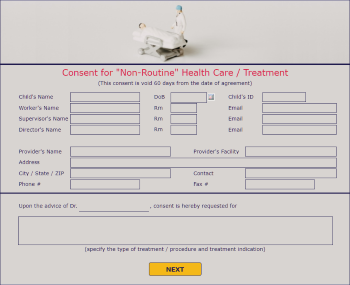
This application consists of three pages for managing consent for non-routine healthcare, typically used in a Department of Children and Family Services environment. However, it could be adapted to other similar environments as well.
The first two pages capture the data needed to make the request, and the third page is for the approval process.
To try this application out first, just click the picture below to launch it. (On a mobile device, it will look different but will work in the same way)
Should you wish to use this application, you may import, publish and start using it without any modifications needed.
It's also configured for Mobile Design. Read the enclosed installation instructions if you have a license for this feature and would like to use it for this application.
Click HERE to learn more about the Mobile Design feature.
|
To download this application and related details, click here. Then extract and import into your system. Log on to PerfectApps, go to the Apps Workspace and click the Import button. Then select the (.PA or .PF) file you saved locally and continue through the import steps.
To learn how to import an app into your account, see App Management Video Tutorials |

Return to: Template Applications

