
PerfectApps uses a player to run the apps. Once the player has been loaded for a single app, it is cached and all other apps will run quickly.
If you embed an app in a Website and the people accessing that page have not viewed a PerfectApps app before, there will be a delay while the player loads. This can take between 5 and 30 seconds, depending on the connection speed. For more information on embedding an app into a Webpage, see the Embedding an App into a Webpage topic.
For a more efficient user experience, you can preload the player in the background. This ensures that when the Website visitor reaches the page with the app, it will already be loaded and ready for use.
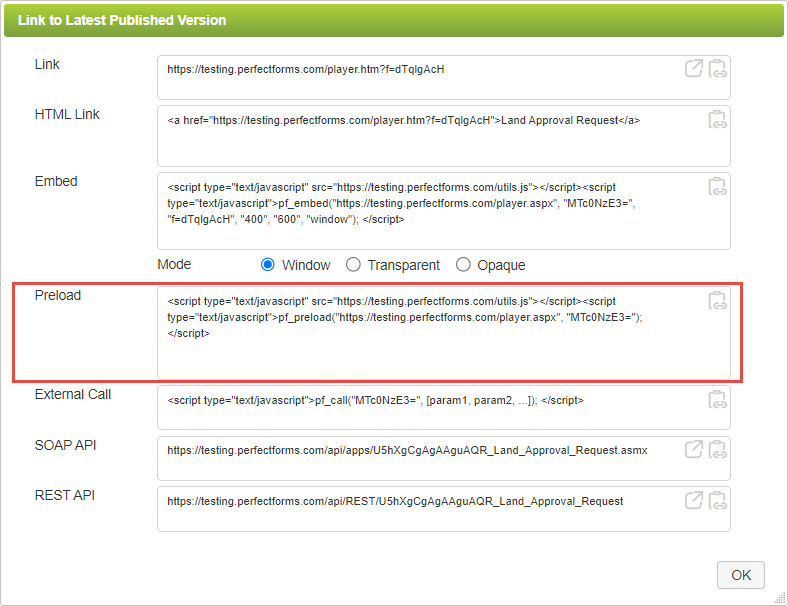
To use the preload player function, copy and paste the preload code from the Link dialog using the Copy Link to Clipboard button  into the <body> tags of your Home and other landing pages. If you have common files used on all pages within your site, you can consider putting the preload code there. If in doubt, your Web designer will know what to do.
See also: Using the External Call function
Return to: Publishing and Deploying Your App, App Management

