|
|
To view App Properties, click the background of the app (the area surrounding the page in the canvas).
|
 Attributes
The attributes section of App Properties contains the app's name, version, and title.
Name
|
Displays the app file name.
|
Title
|
Shows in the browser title bar when an app user accesses the app.
|
Version
|
Displays the version number of the app you are working on. If the whole number is zero, the app is unpublished.
|
|
 Behaviors
The behavior section lists possible events on the app that can prompt a behavior to run.
App is opened
|
This event occurs when an app instance is opened. If you want this event to trigger one or more behavior commands, click on it, and the Behaviors view will be loaded.
|
App submits data
|
This event occurs when an app successfully runs a Submit Data behavior command or when an app user clicks the Submit button. If you want this event to trigger one or more behavior commands, click on it, and the Behaviors view will be loaded.
|
App is closed
|
This event occurs when an app user exits the app. If you want this event to trigger one or more behavior commands, click on it, and the Behaviors view will be loaded.
|
App receives external call
|
This event occurs if the app is running a Get External Callback Parameter function. The External Callback feature can be used to pass data from the website to an embedded app in that website.
|
App submitted successfully
|
This event occurs once a successful submission has occurred. This event can be used only with the Insert, Update, and Delete Connect commands.
|
App is translated
|
Where multiple languages are used, this event occurs when the app user selects a new language.
|
|
Settings
The settings section includes the margin options and screen color.
Margin
|
Object
|
Details
|
Additional Information
|
|
|
Choose a margin for your mobile app and the size of that margin.
Choose from:
oMargin below (the default), oMargin above, oMargin above and below, oNo margins. |
|
Screen
|
|
|
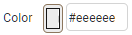
This option lets you enter a Hex color code, or click the color box to select the screen background color.
|
|
|
See also: Mobile Design Section Properties Panel
Return to: Mobile Design Reference, Mobile Design